The Red River Zoo Needs Your Help
- At March 28, 2009
- By Josh More
- In Natural History
 0
0
I know that many of you only read this blog for the security and business information. However, I have hopes that you enjoy the Tuesday natural history musings, and in that vein, I want to make you aware of the situation going on in Fargo, ND. This is a bit more personal that most of my other postings, but I hope that you’ll understand the reasons why this post has little to nothing to do about I.T. or security.
Some of you may have heard about the massive flooding in Fargo, ND. Well, for the moment, the Red River Zoo is safe, but many of the homes and businesses in Fargo are not. To help out, the zoo is accepting people’s exotic pets so that they can be cared for while the rest of Fargo flees. It’s a small zoo, but a good one. Some of you may recall the photos I’ve taken there.
This zoo is special. It’s fairly young and has a very small staff. Yet, they have managed to:

Breed Russian Red Tree Squirrels (See the blog)

Raise Pallas’ Cats

Breed Sichuan Takins (See the blog)

Raise Red Pandas
 |
 |
 |
 |
 |
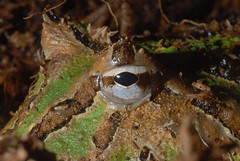 |
Along with many many others. (See the blogs for the porcupines and wolves.)
But here’s the thing. Unlike some of the larger zoos out there, this zoo is funded entirely with donations, and have managed to do one heck of job without using public funds. During and immediately after a disaster like what is impacting Fargo, the monies that are available tend to dry up. At the same time, we have a zoo that operates on a skeleton staff bending over backwards to save people’s pets. They need money to pay for the new animals and to keep things going until things start to get better.
I’ve made a quick PayPal account for them. I know that many of you are focusing efforts on things like:
- Helping save Peter and Erika’s house
- Fighting against racism, direct and subtle
- Helping Tzaddia Morningstar pay for cancer treatment
These are all worthy causes, and I’m not asking you to take anything away from them. All I ask is that if you have a spare $5, $10 or $20, can you toss it towards the Red River Zoo to help feed some animals.
I’m going to let this run for a few weeks, sweeping the account every Friday. I’ll send them a check for whatever is there to help them operate during the crisis. When it’s all done, I’ll close the PayPal account. There will be no auction and not a lot of bugging. All I’m asking is:
- If you can afford to drop a few dollars, please do so.
- If you can direct people to this post, so that others can drop a few dollars in the account, please do so.
The donation button is here:
If you prefer to send a check, you may do so to:
Flood Contributions
The Red River Zoo
4220 21st Ave SW
Fargo, ND 58104
If you have any questions, please leave a comment.
Thank you.
Small Business Defense – Detect, Avoid, Leverage Business Relationships
- At March 26, 2009
- By Josh More
- In Business Security
- 0
If you’re dealing with a DDOS attack, I’m afraid that I haven’t much good news for you. Once it’s started, it may be a bit late to try to deal with it. Odds are, you’re best off just waiting it out. Failing that, you can try to change IP addresses on your external systems, however, that technique is less effective than it was and requires the assistance of your ISP.
No, the right way to handle this sort of attack is long before it starts.
These sorts of attacks tend to start a bit slowly, and can be recognized by a ramping up of traffic. However, in order to detect it, you have to first know what legitimate traffic looks like. Thus, for months before the attack, you have to be watching what’s coming in. You should know what “normal” looks like, so you can detect “abnormal”. Not only will this help you differentiate an attack from simply outgrowing your resources, but it will also help you identify how you are using your resources so you don’t waste your money.
Bear in mind that most Internet connections can only carry so much, and if your employees are using it watching YouTube videos, that leaves less for legitimate customers. The first rule is to know what you have and how it’s being used. To reference Tuesday’s post, you need to know how many rats are normal, so you know when you’re about to have too many of them.
Then, you can move on to attack avoidance. There are systems out there that are specifically designed to handle DDOS attacks, but let’s assume that you don’t want to pay for that. One quick solution is to use a set of proxies. These can be servers or network devices in a proxy configuration. The way these work is to simply receive connections and then balance them to the back-end server. Here, you can set up rules to drop illegitimate traffic to reduce what goes through to your server to a manageable amount. There are many technical ways to do this, and none of them are perfect… however, you don’t need perfect. You just need to drop enough traffic to get things working again. (In other words, you don’t need to stop all the rats, you just need to make sure that there’s enough grain for you and your family to eat.)
However, this solution only works assuming that the attack is somewhat small in scope. If the amount of traffic is overwhelming and your connection itself can’t handle it, having a set of proxies won’t help you much. You’ll need to call your ISP. This is why it’s good to have a good business relationship with your ISP. You should know the names and numbers of who you need to call, and you’ll need them to be technically competent. Ideally, you should be able to call them up, and say “I think I’m having a DDOS attack, can you block all traffic from Asia” (assuming that you don’t do business in Asia, of course :). This is like asking for international help in the face of a massive influx of rats.
The huge ISPs tend to have the technical skill, but lack the personal relationship. The really small ISPs will bend over backwards to help you, but may not know how. I suggest going for the middle of the road approach. Interview prospective ISPs and ask how they would handle this sort of situation. Ask if they can give you an emergency number that would always have a live person answering, 24×7. The good ones will, though they might charge you when you call after hours. This is well worth it.
In the end, you will have built an infrastructure that is resistant enough and built a business relationship that is flexible enough. The only way to be 100% protected against this sort of attack is to have more resources than the rest of the Internet combined, and that’s just not going to happen. This sort of preparation is fairly cheap, and worth a lot if you need to leverage it.
In the end, it’s cheap insurance.
Small Business Attack – Denial of Service
- At March 25, 2009
- By Josh More
- In Business Security
- 2
You get the call from your front-line people. Your web site is down and customers are complaining. You call your web folks and they can’t even get to the server. Then, your front-line people call you again and report that the entire Internet connection is down. You call your ISP, and they tell you that your line is up, but you’re getting a lot of traffic.
Their solution? Buy more bandwidth.
In fact, if you buy right now, you might even have it in a few weeks.
What has happened is a distributed denial of service attack. In this attack, the attackers leverage hundreds of thousands of machines and send traffic to a target. In this case, to your server. As it starts, people start to have problems with the web server. Pages will load erratically, customers will experience slowness and the server may start to reboot itself or lock up entirely. However, it doesn’t stop there. The attackers often don’t know when they’re successful, and the traffic just keeps coming. Soon, your Internet connection will fill up and stop responding. If you’re hosting offsite, the line usage may spike and drive you into over-utilization charges. Thus, in addition to losing potential sales for every minute you’re down, you may also be charged for the experience.
So, it sucks to be you, but what does the attacker gain? In the old days (you know, when the hills only went up), this was done out of spite. Someone had taken offense at something you or your company had done, and their solution was to make your life miserable. These days, it’s different.
These days, the attacker may be a competitor or someone hired by a competitor. They may be starting a campaign and want you out of the picture during the process. They may be trying to take one of your biggest clients and want to show that you’re unreliable. It may be a criminal organization using such an attack to hide a second, more subtle attack. It may be an employee that simply wants a day off.
In any of these cases, what are you going to do about it?
Security Lessons from Nature – Rats, Bamboo and Surprises
- At March 24, 2009
- By Josh More
- In Natural History
- 0
There are some plants that bloom several times a year, some that bloom every year and some that bloom every few years. However, there are also a few types of plants that bloom every few decades. This is generally viewed as a fairly big deal, and botanists get all excited and talk to bored people at parties* for hours on end about how special and wonderful it was, and how happy they are to have finally seen such a thing. Unless you’re a botanist, you probably wouldn’t care much.
* At least, at the sorts of parties that over-excitable botanists get invited to.
That is, unless you happened to live in Asia and the plant happened to be bamboo. Unlike the American century plant, of which individual members bloom every few decades and then die, bamboo has learned to do synchronized blooming. Now, as scary as it is when a bunch of people start synchronizing their swimming, it’s far worse when bamboo does it.
Granted, it’s not the bamboo so much as the rats.
When the bamboo blooms, it pollinates and then produces fruits and seeds. Suddenly, there’s a lot of food around and rats appear to devour all the bamboo fruits. In the process they, of course, tend to make more rats. So, for the course of a year or two, there are more and more bamboo fruits which result in more and more rats. This is all well and good until the bamboo suddenly all wise up and think “Wait a minute, what are we doing here? Rats are eating us!” and promptly go back to being placid grasses.
This leaves hundreds of rats, thousands of rats, millions and billions and trillions of rats… and no lovely little bamboo fruits to eat. Being more intelligent than the bamboo (and lacking the “hey, let’s all be grass again” gene), the rats promptly turn around and start eating everything else that they can.
In Mizoram, a state of India, this means eating the people’s crops. It means that the farmers who, for a generation or more have been easily able to feed their families and export enough to make a reasonable living are suddenly transformed into fighters that must defend their livelihood against a rampaging horde of rats. And really, there’s not a lot they can do about it. A farmer may take on a rat and win, but one farmer versus one thousand rats is much less of a sure thing.
Similarly, you may be able to defend your business against an attacker or two, but when those few attackers suddenly become a coordinated attack from thousands to millions of computers, you’re pretty much not going to win.
Distributed Denial Of Service (DDOS) attacks mostly target larger companies, but as bot nets become more affordable, the likelihood of an attack targeting you goes up. We’ll look at this in more detail tomorrow.
For now, just consider the problem facing the farmers Mizoram, and think that we don’t even know what diseases these rats might be carrying.
Mythic Monday – Medusa and Immutability
- At March 23, 2009
- By Josh More
- In Mythology
- 6
Most people these days know at least part of the tale of Medusa. You know that she had snakes for hair and that everything she looked at turned to stone. Well, unless you’re big into gender theory, you can ignore the rest (at least for the purposes of this post), because today we’re going to talk about stone.
Throughout myth, stone is often viewed as unchangable. Even in this modern day, we have phrases like “etched in stone” and stories of the weeping angels. Despite the obvious fact that it’s not true, we tend to think of stone as permanent. After all, making it otherwise requires special tools and/or special skill. In everyday experience, something that is made of stone is going to stay that way forever.
If only there were a way to apply the same concept to business security.
Granted, in many cases, you wouldn’t want this. Security should be reactive and responsive. As stable as stone may be, very few people would call it highly responsive. (Amusingly, as I write this, reports of the eruptions of Redoubt and Tonga are just coming in.) However, it would be nice if you could effectively lock certain changes into stone, rendering them immutable.
Well, you can. Most systems have access rights that can be tuned. If you configure them correctly, only the right people will be able to write to those files. In effect, it’s like the computer has a special Medusa inside it that can turn files into stone for most people. This is a basic aspect of system hardening. If an attacker cannot write to a file, they can’t make changes, and you’re better off.
Ah, but what if you’re one of those Greek heros for whom the computer’s Medusa doesn’t work? Shouldn’t you have the ability to ask Medusa to lock your files so that even you can’t change them?
Well, once again, you can do this. Most Linux systems have what are called extended file permissions that, strangely enough, are generally only used by attackers. In addition to the basic read/write/execute (in this case, “execute” means “run”, not “stalk with mirrored shield, cut off head and cause the birthing of the pegasus”), you get special magic powers such as:
- Make immutable
- Make undeletable
- Make appendable-only
Thus, you can create a configuration that is readable and works just fine, but is completely unchangable unless you are the admin of the server and you know the extra level of protection. Now, it’s not a panacea by any means, but one more layer of protection keeps out one more class of attacks. . . and that’s a win.
For more information:
Announcement – Linux Security Presentation
- At March 20, 2009
- By Josh More
- In Business Security
- 0
The presentation that I gave at Infragard can be found here. In it, I discuss:
- How to choose between the multitude of Linux distributions
- How to properly secure a system once the choice has been made
The semipermanent home is here, and has a link to the .zip archive containing my raw vector and PovRay files from which this presentation is made.
Small Business Defense – AntiPhishing
- At March 19, 2009
- By Josh More
- In Business Security
- 1
The core problem with phishing is that it is a very human attack. It relies on people to, well, be people. The emails are crafted to be interesting or scary, and right when the reader is at the peak of wanting to know more, they are presented with a link. Once the link is clicked on, it’s game over… so the point of the game is to keep the link from being clicked.
It’s harder than it sounds.
One technique that would work well would be to completely block all HTML email. Thus, no pictures, no links. All email looks the same and all the HTML email coming in will look like utter gibberish. Now, as much fun as we all had in 1995, I think that we can all agree that that approach would not work well these days. So, what does?
Antispam
Many phishing attempts will trigger on good spam filters. The important thing to note, though, is that phishing attempts in a spam folder are just as effective as ones that appear in the INBOX. If you use this as a primary defense, it’s important to make sure that the anti-spam quarantine system traps the messages in such a way as to prevent such clicks from being active. Google’s gmail and their add-on message security products work well for this.
Anticlick
If the emails get through, and let’s face it, no antispam solution is perfect, it can work well to prevent the click from occuring. There are certain technologies that whitelist allowed links and render all others are unclickable. You can also run local HIPS software that can prevent such clicks from downloading and running software. If the HIPS software is good enough, it might even protect against overflows in the email client itself. Again, however, these solutions aren’t perfect.
Employee Education
The absolute best way to keep employees from clicking on the link is to continuously tell them not to click on links. It’s not perfect, but making employees responsible for their actions is the best way to get results. Much as someone would not leave the front door open and unlocked, they should be aware of the ramifications to the business should they engage in unsafe practices on the Internet.
Of course, we all know that people will make mistakes, which is why it would be wise to use both antispam and anticlick technologies as well. The combination of all three work far better than any one alone.
Small Business Attack – Phishing
- At March 18, 2009
- By Josh More
- In Business Security
- 0
Odds are that your business has a relationship with key vendors. Commonly, these include at least one bank and payroll processor. Of course, were one of these accounts breached, things could get really bad. Really really bad. In fact, things could get bad enough that people might not be thinking clearly when they click on links.
That’s all an attacker needs. One brief moment of panic or excitement, one click of a link, and they’re in.
Attacks can come in many forms. All an attacker needs to know is a little bit of information about your company and be able to bypass a spam filter. Then, suddenly, your employees will start seeing emails with subject lines like:
- “Problem processing your paycheck”
- “Health insurance lapsed”
- “[Payroll Company]: Bonus check available”
- “[Your Company] being sued by [Big Company”
Once the employee opens the email, it may be all over, but odds are that your systems are somewhat secure. This means that they’ll actually also have to click on a link. Generally, this is done by naming the link one of the following:
- “click here”
- “more info”
At this point, the user generally clicks their mouse, the attack runs, and the attacker has access to all the files on the workstation.
But you should be OK. After all, it’s not like your employees have access to proprietary or customer data… right?
Security lessons from Nature – The Dinochicken
- At March 17, 2009
- By Josh More
- In Natural History
- 0
OK, so we don’t have a dinochicken yet, it’s being worked on. I just couldn’t pass up the chance to blog about it.
Building on last year’s moderate success linking a tyrannosaurus rex to a chicken (which, admittedly is being challenged), scientists are attempting to reverse genetically-engineer dinosaurs from chickens. Specifically, they’re trying to produce chickens with teeth (which can happen), longer tail and forearms.
So, what does this have to do with business, other than it’s being really neat?
Simply put, even if it’s possible to do this, it will be extremely difficult and expensive. They have to identify specific genes, figure out how to turn them on and off, find a series of stages to make the embryos viable (you can’t just hatch a dinosaur from a chicken egg, there’ll need to be steps), and eventually grow them to the point where they can self-reproduce. It’s a whole lot of work. If you wanted a dinosaur, it would have made a lot more sense to not let them go extinct in the first place.
Of course, there’s not much any of could have done to prevent the extinction of the dinosaurs, but there are certain present-day species that could probably use a bit of help. If they become extinct, they’re gone. Sure, we could try to resurrect them with technology, but we’d lose all of the learned behavior that passes from generation to generation. It would be a lot cheaper and easier to save them now… and we’d do a better job.
The same applies to your internal I.T. projects. As the economy continues to stall out, and companies readjust their spending, stop and consider more than just the immediate costs. If you have a project that is truly wonderful, but is costing a fair amount of money, don’t just kill it. Maybe shift your focus from development towards documentation. Maybe adjust your sales strategy. Maybe sell it to another company. Just don’t let the project die. Recreating it could be far more time consuming and costly than you may like.
After all, you can go extinct after economic recovery just as easily as during.
Mythic Monday – Cúchulainn and the Morrigan
- At March 16, 2009
- By Josh More
- In Mythology
- 0
In Celtic myth, Cúchulainn was a classic hero. The Morrigan, however, was a goddess of battle and fertility (interesting how those two often go together). Near the end of his life, the Morrigan appeared to Cúchulainn in the guise of a young woman and offered him her help in battle. Cúchulainn, of course, refused her help and did so in such a way as to cause offense.
Admire the classic heroes as much as you like, but you have to admit that they had a fair amount of arrogance to them.
The Morrigan, upset at Cúchulainn’s attitude cursed him and left. Later, so the story goes, Cúchulainn entered into battle with another warrior and the Morrigan did her level best to bring about his defeat. Being a classic hero, of course, he prevailed and later met her again in the guise of an old woman. Again, he didn’t recognize her.
At a later point, the Morrigan appears as the Washer at the Ford (aka bean nighe, a type of bean sídhe (not this one)) and then, after he ignores this warning, as three old crones (it’s a goddess plurality thing, just go with it). The three crones trick him into eating dog flesh, which he was sworn to never do. Cúchulainn is then weakened and loses his next battle.
So, ignoring the obvious lesson here (which is, of course, don’t anger a goddess), what business-applicable lesson might we learn from this story?
I think that the important thing here is that Cúchulainn has numerous chances to treat the Morrigan with respect, and never does. He is too caught up in his own legend to recognize the power of another. The classic read on this myth is that he doesn’t recognize feminine power, but I think that business-point works well as a gender-neutral. As such, he makes an enemy for life and she eventually brings about his downfall.
In business, we often see the same people over and over again. Some of my old coworkers are now working for competitors, some are potential clients, some have started their own businesses. Odds are that the same applies to you. If you work in this industry for any length of time, you may well see the same people rise and fall. You may find yourself sitting across the negotiating table from your worst enemy or your best friend. You never know what the future may hold.
Thus, it would be wise to pay attention to all people. Treat them with respect and help them when they ask. After all, the nice, but inexperienced coworker may not be a goddess in disguise, but it’s quite likely that they may become your boss in the future.